
.webp)




Are you losing pipeline visibility because your team spends hours on manual reporting? We reviewed the top AI transcription tools of 2026 to help you automate CRM data entry and keep forecasts reliable. Below you will find a quick comparison, then a breakdown by use case, from sales and meetings to content creation and privacy-first setups. Automate notes, enrich CRM data, and improve sales performance today.
A quick comparison of the best AI transcription tools in 2026
Choosing the right AI transcription tool is less about a feature checklist and more about your workflow, whether that is closing deals, creating content, or simple note-taking. This comparison table gives you a quick orientation. Full disclosure: Praiz is our platform, so weigh it on the same terms as the others.
The sections below break down how these tools fit different needs, starting with the ones designed for commercial teams.
For sales teams: tools that turn conversations into revenue
These tools do not just transcribe, they are designed to support sales performance.
1. Praiz: AI agents that enrich your CRM
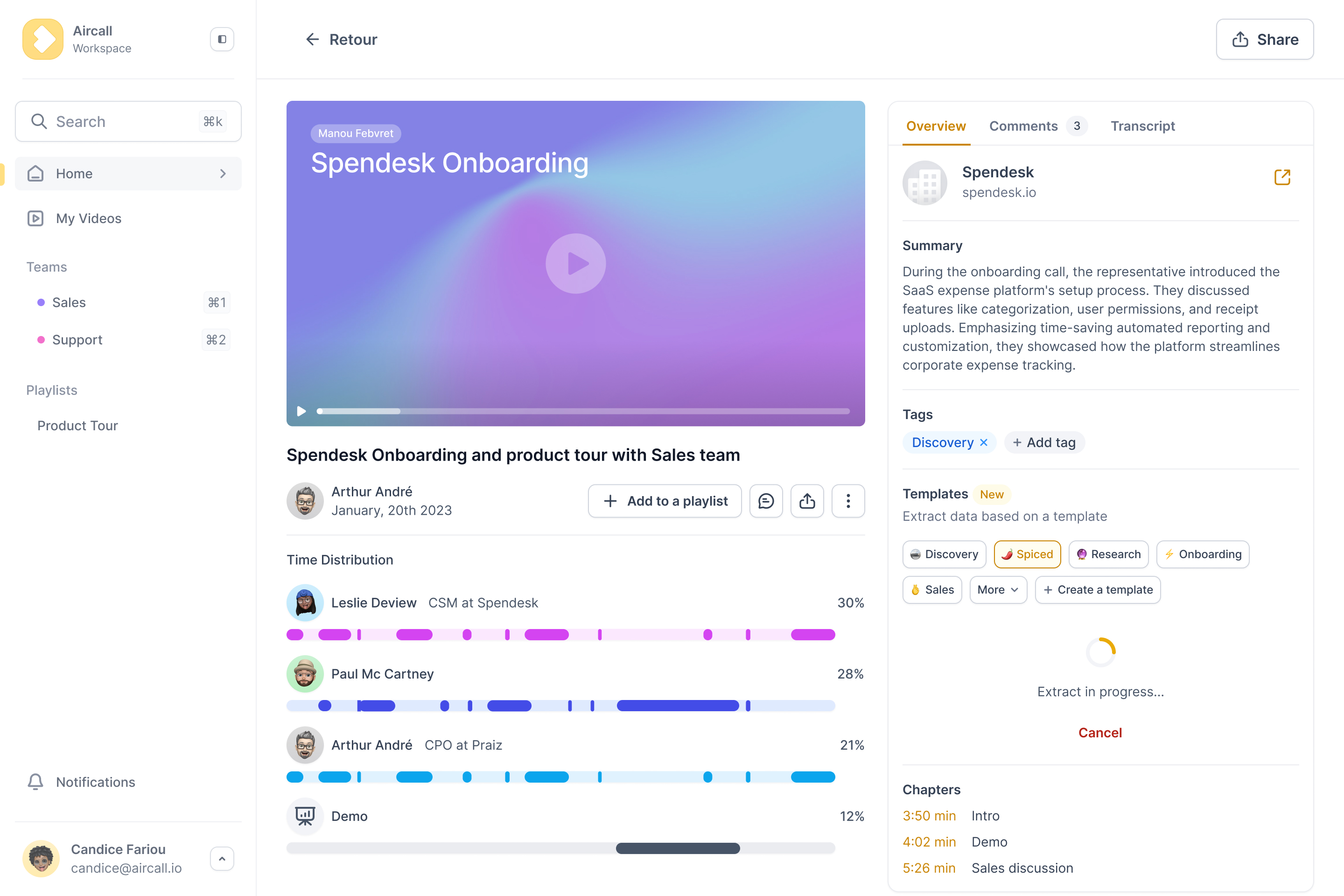
Full disclosure, Praiz is our platform, so judge it on the same terms as the others. Praiz is more than a transcription tool: it runs AI agents on your conversations and feeds reliable, structured data back into the CRM you already use, such as Salesforce or HubSpot, rather than adding a separate platform. The aim is to free reps from note-taking so that saved time turns into more selling.
- Broad integrations: works across CRMs and call sources, including VoIP and video.
- Advanced prompt customization: tailors data extraction to your business and sales methodology.
- CRM-centric: designed to improve the ROI of your existing CRM rather than add another dashboard.
This suits sales leaders who want clearer pipeline visibility and more reliable forecasts. It works with major CRMs to centralize your data. The trade-off is that it is a newer brand than some long-established names.
2. Modjo: the conversation intelligence platform
Modjo is a complete conversation intelligence platform focused on team coaching and deep interaction analysis. It excels at analyzing calls to help standardize pitches, which makes it a strong fit for managers who want to train and upskill their teams. It is a dedicated analysis platform, so the trade-off is that it is a separate destination your reps log into, rather than a layer on top of the CRM.
3. Cockpit: the sales team coach
Cockpit takes an approach similar to Modjo, focusing on conversation analysis to improve sales performance. It helps you understand what works in your pitches, and its main strength is providing concrete insights for coaching and script optimization, which makes feedback more actionable. It is a solid option for teams that want a dedicated analysis platform rather than just a transcription tool.
For meeting productivity: the all-in-one assistants
If your needs are less sales-specific and more about general meeting hygiene, another category of tools steps up.
4. Otter.ai: the real-time meeting notes taker
Otter.ai is one of the best-known meeting assistants, and its main strength is real-time transcription during Zoom or Teams calls, where you watch the text appear live.
- Live transcription: see the text appear as people speak.
- Automated summaries: get a quick digest after the meeting ends.
- Speaker identification: automatically labels who said what.
- Action item detection: highlights tasks and next steps discussed.
It positions itself well for students, journalists, and teams that want a quick record. The limit is that it is less focused on deep integration, so it does not sync as deeply with business tools like CRMs.
5. Fireflies.ai: the automated meeting recorder
Fireflies.ai is a direct competitor to Otter. Its bot connects to your calendar and automatically joins meetings to record and transcribe them, which makes it a classic set-it-and-forget-it solution. The AI super summaries feature lets you customize recaps, and it integrates with many tools, including various CRMs. It is a solid choice for teams that want to automate the entire note-taking process and reduce manual effort.
6. Fathom: the free meeting assistant
Fathom's standout argument is that it is free for individual use. It records, transcribes, and summarizes meetings in several languages, generating notes quickly and syncing them into Notion, Google Docs, or the CRM. That makes it a good fit for freelancers, consultants, or small teams where speed is the priority. The trade-off is that the most advanced features and team management capabilities sit in the paid version.
For content creators: transcription meets editing
For content creators, some tools turn the transcript into a full editing workflow.
7. Descript: the all-in-one audio and video editor
Descript is more than a transcriber, it is a production environment where you edit video or podcasts by editing the text directly: delete a word in the script and it cuts the audio. The Overdub feature can recreate your voice to fix small mistakes without re-recording, and it can automatically remove filler words like "ums" and "ahs." It is a strong choice for podcasters and YouTubers who produce spoken content regularly.
8. Sonix: the high-accuracy workhorse
When you do not need editing features and just need high accuracy, Sonix delivers consistently strong transcription rates, which is why many journalists and researchers rely on it. It handles noisy files and varied accents well, and you can translate transcripts into more than 40 languages. The interface is built for speed, which makes manual corrections fast, and its pay-as-you-go model fits sporadic needs without a monthly fee.
Specialists and the privacy-first approach
Finally, two specific scenarios: managing multiple languages and protecting data privacy.
9. Notta and Claap: for specific workflows
Notta stands out for real-time multilingual transcription, which makes it useful for international teams, with support for a large number of languages and fast results. Claap is geared toward product and tech teams, centering on asynchronous video meetings and allowing comments directly on the video alongside the transcript, which helps keep engineering workflows moving.
10. OpenAI's Whisper: the privacy-conscious option
Whisper is not a product but an open-source AI model, and its strength is self-hosting: you run the code on your own servers. For sensitive sectors like legal or R&D where privacy is essential, self-hosting means conversations do not pass through third-party servers, which reduces data-leak risk and keeps control in-house. It requires technical skill, and it is worth noting that even local AI models can hallucinate.
A final word on ethics and accuracy
Using an AI assistant without consent breaks trust, so always inform participants before recording or transcribing a meeting and respect their right to object. No transcription tool is perfect either, since accuracy depends on audio quality, so human verification is still useful.
- Always get consent: inform every participant you are using a transcription tool.
- Verify before sharing: correct inaccuracies, especially in summaries, before distributing.
- Mind data privacy: know where your data is stored and who can access it.
For more, see Harvard's guidelines on AI assistants. Ultimately, the best AI transcription tool is the one that fits your priority, whether that is CRM automation for revenue, meeting productivity, or content creation. The goal is not just to record conversations, but to use them to drive performance and surface useful insights.
.png)
.png)
.png)