.webp)




Is your revenue forecast unreliable because your sales team wastes valuable hours on manual entry or simply skips reporting specific deal details entirely? Leveraging advanced google meet notes automation is the definitive strategy to capture accurate CRM data while finally freeing your sales force to focus entirely on closing. This analysis exposes why relying solely on native Gemini features might cost you deals and reveals how superior revenue intelligence tools transform raw conversations into actionable, high-value business assets for your entire tech stack.
The essential takeaway: Google’s Gemini provides a convenient, native solution for capturing meeting notes directly within the Workspace ecosystem. Yet, for sales organizations, this basic functionality lacks the critical CRM synchronization and custom data extraction needed to secure reliable pipeline visibility and forecast accuracy. True revenue intelligence turns conversations into actionable data, not just static documents.
A Look at Google's Built-in Note Taker
What Is Gemini for Google Meet?
Google has finally integrated its own google meet notes automation directly via Gemini. The premise is simple: it listens to your call, captures notes, and organizes them into a Google Doc, a step up from a manual meeting minutes template. It is a native feature designed to keep you inside their ecosystem. This functionality was deployed around late 2024, as reported by The Verge. The goal is straightforward: make meetings actually productive by automatically generating a summary and listing the actions to follow.
It acts as the baseline solution, directly accessible within the existing Google interface.
How to Activate and Use It
Access isn't universal. You need a specific Google Workspace subscription, and your administrator must enable it first. Even then, usually only the meeting hosts have the power to launch the transcription.You can configure it before a meeting for an automatic start by tweaking your options in Google Calendar.
Here is how process works in practice:
- Once in the meeting, click "Take notes with Gemini".
- Inform participants that AI is active (though they get notified).
- Notes are generated live into a Google Doc.
- The document is shared via email and attached to the Calendar event.
The Built-in Limitations
Here is the trap for sales teams. The data gets locked in Google Docs. It is just a flat text file, not structured data you can exploit. Consequently, the work of manually updating the CRM remains entirely on your shoulders. Then there is the language barrier. Gemini currently supports only one language at a time. If you manage international deals or switch languages, the system fails to keep up. It is a decent start, but far from a solution for sales teams demanding real efficiency.
Why "Good Enough" Notes Are Costing You Deals
But the real problem isn't technical, it's business. Settling for basic summaries means passing on the essential leverage needed to win.
The Hidden Cost of Manual CRM Updates
You might think copy-pasting from a Doc to Salesforce takes five minutes, but it kills momentum. Every minute spent on admin is a minute stolen from selling. The same problem exists on other platforms, which is why we also cover Zoom notes automation and Teams notes automation. This accumulation of low-value tasks directly impacts sales productivity and burns through your team's energy. Then there is the data integrity issue. Manual entry relies on fading memories, leading to inevitable errors and omissions. Your CRM slowly fills up with incomplete or false data, becoming a graveyard rather than a resource. "The biggest lie in sales is 'I'll update the CRM later.' Automated notes don't just save time; they enforce truth and make your pipeline reliable."
Lost Insights and Unreliable Forecasts
Scribbled bullet points miss the nuance. You lose the hesitation in a prospect's voice, hidden objections, or a mentioned competitor. This "voice of the customer" is a goldmine that vanishes, leaving you only with what the rep biasedly decided to write down. This creates a disaster for leadership piloting the ship. Without reliable ground truth, your forecasts become an exercise in divination rather than science. Sales leaders lack visibility into the pipeline's reality, making it impossible to make data-backed decisions.
The Focus Dilemma: Taking Notes vs. Closing Deals
Picture your rep in a high-stakes demo. They cannot actively listen while frantically typing every word. It is a cognitive split that degrades the quality of the exchange. They miss emotional cues because they are too busy acting as a stenographer. Deployment of google meet notes automation solves this instantly. By offloading capture to AI, your team stays 100% present in the conversation. They can ask better questions and build rapport, confident that every detail is secured for them.
Native Tools vs. Dedicated Sales Intelligence Platforms
The "Bot-Free" Advantage
Google's Gemini solution displays a clear icon during calls. It signals to everyone that a "bot" is listening in. This often creates an immediate sense of unease. Prospects feel watched and become significantly less transparent. Third-party tools working as Chrome extensions solve this by removing the "ghost participant." They remain discreet and avoid privacy questions raised by visible bots. It’s a hot topic on forums like Hacker News.
Beyond the Google Ecosystem
Gemini stops at Google Docs, which is a problem. True automation must feed the tools sales actually use daily. Data needs to flow where action happens. That is the difference. Real value lives there.
Here is why advanced google meet notes automation beats native features every time.
| Feature | Google Meet (Gemini) | Advanced Tools (like Praiz) |
|---|---|---|
| Output Format | Plain text in Google Docs | Structured, actionable data |
| CRM Integration | Manual copy-paste | Automatic sync (e.g., HubSpot, Salesforce) |
| Data Customization | Standard summary | Custom prompts & AI templates |
| Platform Support | Google Meet only | Multi-platform (VoIP, Zoom, Teams) |
| Bot Presence | Visible icon notification | “Bot-free” via browser extension |
| Core Purpose | Basic note-taking | Driving revenue & team performance |
What to Look For in a True Google Meet Automation Tool
A CRM Booster, Not Another Platform
When evaluating google meet notes automation, realize that tools like Modjo or Gong are often separate platforms. They force teams to toggle between their CRM and yet another interface, which adds unnecessary friction. This constant switching kills adoption and slows down your workflow. A solution like Praiz takes a different approach. It doesn't add a new platform to your stack. Instead, it plugs directly into your tools to enrich and validate your CRM. It is a booster that maximizes the ROI of your existing technology, not another burden to manage.
Customization Is Everything
A standard summary just doesn't cut it. Your business has its own KPIs, specific jargon, and unique CRM fields. The AI needs to adapt to your reality, not the other way around. Look for a solution that allows advanced prompt customization. You must be able to tell the AI exactly what to extract: the client's budget, the decision-maker's name, or the date of the next step. It puts you in control.
This is what transforms a simple summary into structured and directly actionable data for your sales reps.
Key Criteria for Sales Leaders
For VP Sales and Heads of Sales, the choice must be guided by ROI. It is about results, not just features. The tool must fit into a larger vision, acting as one of the best sales enablement tools available. It has to serve global performance and drive better decision-making.
Here are the non-negotiable elements you need to verify before signing anything:
- Universal Integration: Is the tool compatible with ALL your CRM/ERP systems and calling sources (VoIP + video)?
- Data Quality: Can the AI extract structured, reliable data rather than just dumping raw text into a document?
- Scalability: Will the solution handle your growth from 50 to 200 sales reps without breaking a sweat?
- Adoption: Is it a true "plug-and-play" tool your team will actually use, or a complex project?
From Raw Conversation to Actionable Revenue Intelligence
Turning Conversations into a Data Goldmine
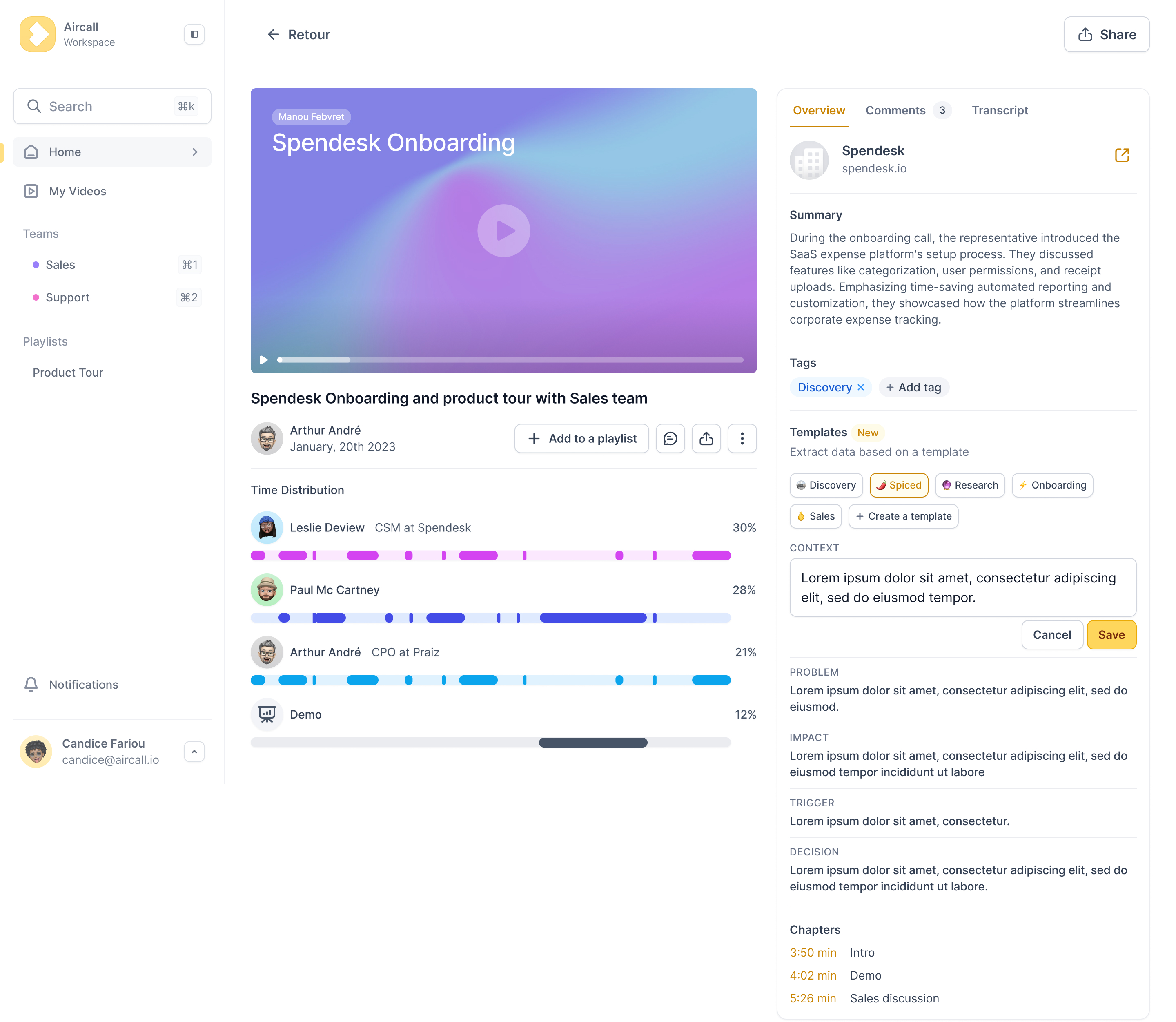
Every call or video chat is a source of raw data. It is the unfiltered "voice of the customer." Honestly, it’s a goldmine that is still underutilized. Your team's conversations are a goldmine of untapped data. The goal isn't just to record them, but to refine them into predictable revenue and smarter business decisions. The best tools do not simply transcribe. They analyze, structure, and transform these exchanges into concrete insights for the entire company. This is where google meet notes automation truly shines.
The Real Business Impact
Concretely, what does this change for a sales leader? It shifts you from guessing to knowing.
Here is the direct impact on your bottom line:
- Reliable Forecasts: Stop guessing with finger-in-the-air methods. Forecasts are based on real, verifiable data extracted directly from every single conversation.
- Increased Sales Velocity: Salespeople spend more time selling and less time on boring admin. More conversations simply means more deals closed.
- Standardized Best Practices: Identify exactly what works for your top performers—like scripts or objection handling—and deploy it immediately to the whole team.
- Clear Visibility: Finally get a clear, unbiased view of the field reality to steer your commercial strategy with absolute precision.
Google’s native tool is a convenient first step, but high-performing sales teams need more than just text summaries. To drive revenue and reliable forecasts, you must move beyond basic note-taking. Choose a solution that turns conversations into structured CRM data, ensuring your pipeline reflects reality and your reps focus on closing.
Frequently Asked Questions
Can Google Meet handle note-taking automatically?
Yes, Google Meet can capture notes automatically using the “Take notes with Gemini” feature, provided you have the correct Workspace license.
However, sales leaders should be aware that this native solution simply generates a summary in a Google Doc. While better than nothing, the data remains locked in a text file, requiring manual copy-paste into the CRM—leaving the productivity bottleneck largely unresolved.
Does Google offer a native AI note-taker?
Yes, Google has integrated Gemini as its native AI note-taker. It listens to the conversation, generates a summary, and lists action items.
While useful for internal meetings, it lacks the specialized intelligence required for sales teams: no CRM field structuring and no deep revenue insights compared to dedicated sales enablement platforms.
How do I activate AI notes within Google Meet?
You must first ensure that your administrator has enabled the feature. During a call, click the “Take notes with Gemini” pencil icon in the top-right corner of the interface.
Note that this triggers a visible notification for all participants. Teams seeking a more discreet, prospect-friendly experience often prefer browser-based extensions that capture audio without introducing a visible bot.
What is the process for taking automatic meeting notes?
The process depends on the tool. With Google’s native Gemini, you manually start note-taking during the call or enable it from the Calendar invite.
With specialized sales intelligence tools, the process is seamless: the tool runs in the background, captures the conversation, and automatically pushes structured data (budget, decision-makers, next steps) directly into the CRM.
Which tool is the best note-taker for Google Meet?
The “best” tool depends on your KPIs. For simple internal recaps, Google’s built-in Gemini is sufficient.
For sales leaders focused on revenue, the best solution is one that integrates deeply with HubSpot or Salesforce, supports custom prompts, and enforces CRM data hygiene rather than producing generic summaries.
How can I generate actionable notes from Google Meet?
To generate actionable notes, you must move beyond simple transcription. While Google Meet produces transcripts and summaries, true actionability requires an additional intelligence layer.
Advanced AI tools allow you to define custom frameworks and prompts that extract exactly what matters to your team—objections, budget, decision-makers, and next steps. Solutions like Praiz then push this structured data straight into the right deal in your CRM, turning a passive recap into concrete pipeline actions.
.png)