
.webp)




Is your forecasting accuracy suffering because you have not put Teams notes automation in place to back up what your reps report on the pipeline? Relying on manual data entry is risky, while the right tools turn every meeting into an objective source of truth. If your stack also includes Zoom or Google Meet, see our guides to Zoom notes automation and Google Meet notes automation. This guide explains how to move from standard transcripts to a fully automated system that keeps your revenue data reliable.
The essential takeaway: manual note-taking creates data gaps, while native Teams tools often stop at simple transcription. Strong performance requires a solution that integrates deeply with the CRM to turn conversations into structured, actionable data. That shift supports reliable forecasts and improves sales efficiency.
The real cost of manual note-taking in Teams
Why your brain isn't a recording device
Let's be honest about multitasking: you cannot actively listen to a prospect while typing down every word. It is the well-known problem of divided attention, and you end up doing both tasks at a mediocre level. The consequences show up quickly. You miss subtle cues, the conversation feels transactional rather than relational, and your notes end up full of gaps, trading a genuine connection for a messy, partial transcript.
The hidden drag on your sales pipeline
This is where it costs you. Rushed, half-finished notes rarely make it into the CRM correctly, and that data gap quietly undermines commercial efficiency for teams relying on manual input. When incomplete CRM data clogs the system, you cannot predict revenue with much accuracy. Leaders are left with unreliable forecasts and little visibility on deal health, essentially guessing their way to the end of the quarter.
More than missed words: the data you're losing
Every call holds strategic value beyond follow-up tasks: objections, competitor mentions, and sentiment that manual typing simply misses. This is where Teams notes automation becomes a necessity rather than a luxury. The voice of the customer is a rich source of data, yet most of it evaporates the moment a meeting ends. Without a system to capture this automatically, your strategy ends up built on assumptions rather than facts.
How AI is changing the game for Teams meetings
Meet your in-meeting assistant: Microsoft Copilot
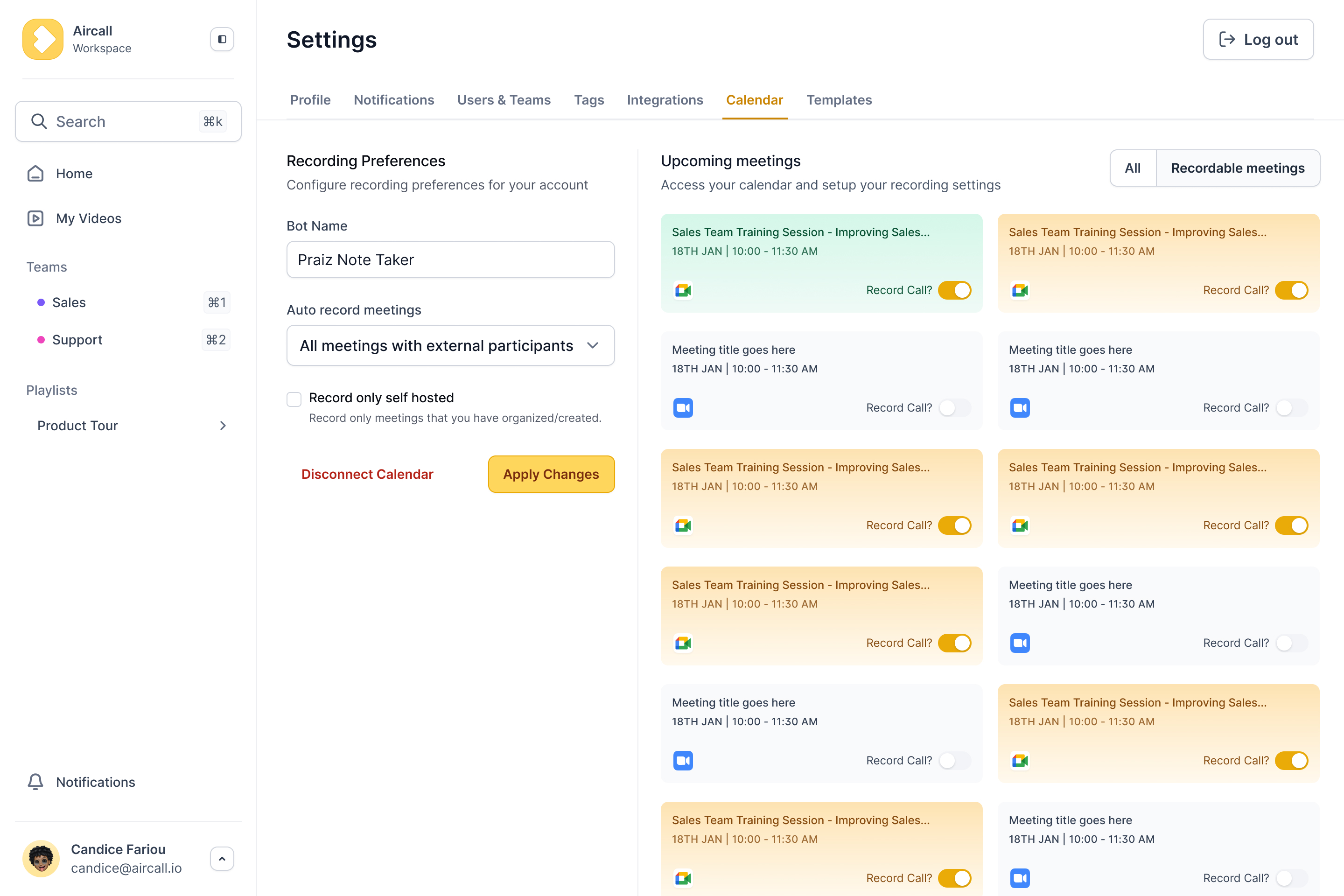
Instead of acting as a scribe during high-stakes calls, you can let Microsoft Copilot handle much of that administrative work automatically. This kind of Teams notes automation takes over note-taking so you can focus on the client. It is not just recording: Microsoft Copilot in Teams generates real-time summaries, flags key decisions, and lists follow-up actions. That is the shift from passive recording to active productivity.
Transcription is not the same as understanding
A twenty-page script of a one-hour call is not helpful, it is a burden. Transcription gives you the "what" but misses the "so what." You need context, not just words, and the real value lies in turning that noise into something usable. A raw transcript is a wall of text that few people read, while AI can turn it into actionable insights you can use right away. That is where the ROI lives.
What the AI actually captures
Modern AI tools do more than listen; they pick up on where value is created in a conversation. Here is what a system typically extracts while you focus on the deal:
- Key decisions made.
- Action items and who they are assigned to.
- Unanswered questions that need follow-up.
- Key topics discussed and their timestamps.
Beyond native tools: achieving true meeting automation
The limits of built-in solutions
Native Teams notes automation provides basic summaries but does not populate CRM fields. Valuable information stays trapped inside Teams, which forces reps to copy and paste manually. That kills momentum and wastes hours every week.
Enriching your CRM, not adding another platform
Nobody wants another login. Praiz is not a new platform to manage; it acts as an AI layer that enriches the CRM you already use, injecting structured data exactly where you need it to maximize your investment. You can tailor it to your own process with custom AI agents rather than relying on generic summaries.
Choosing the right automation tool
Most tools look similar, so judge them on business impact rather than surface features. Do not settle for generic transcripts when you can have structured, actionable data. Here is how a specialized solution compares with the native option:
| Feature | Native Teams AI (Copilot) | Praiz |
|---|---|---|
| CRM integration | Limited or manual sync | Deep and automated |
| Prompt customization | Basic | Fully customizable |
| Data structuring | General summary | Structured for CRM fields |
| Source compatibility | Teams only | Broad (VoIP and video) |
From raw data to revenue: making automated notes work for you
Turning conversations into reliable forecasts
Much forecasting is expensive guesswork. When you rely on a rep's memory, you lose the specific details that actually close deals. Teams notes automation reduces that leak by capturing the facts immediately. For leaders, this visibility cuts through the noise: you stop chasing reps for updates that are already out of date and get a more direct line to what is really happening, so you can make decisions based on reality.
What a truly automated workflow looks like
Picture a workflow where your reps barely touch a keyboard after a call. It is seamless and largely invisible, and it is how many modern sales organizations operate. Here is the workflow that saves your team hours every week:
- The Teams meeting ends.
- Praiz processes the conversation.
- Key information, next steps, and customer insights populate the correct fields in your CRM.
- The rep moves to the next call, with no admin time needed.
It is not just about recording; it is about the ability to sync with HubSpot or your existing stack without lifting a finger.
Beyond notes: proactive sales intelligence
Automating notes is really just the baseline. The larger opportunity is turning that raw audio into intelligence: when you analyze thousands of calls, patterns emerge that no single person could catch. So rather than managing data entry, you can use conversation intelligence to spot trends and build a sales motion that improves with every call.
See it in action
Stop logging calls. Start mining them.
Praiz extracts the data hidden in your customer conversations and pushes it straight to your CRM.
Manual note-taking is a quiet drain on revenue. Native Teams features offer a baseline, but real scalability needs deeper CRM automation that goes beyond simple summaries. Rather than settling for incomplete data, you can let your team focus on selling instead of typing, and turn every conversation into actionable data.
Frequently Asked Questions
Can Teams actually automate note-taking?
Yes, Microsoft Teams can automate note-taking, but it requires specific licenses such as Teams Premium or Microsoft Copilot. These tools generate "Intelligent Recaps" including summaries, key takeaways, and action items.
For sales organizations, native functionality often falls short because the data stays siloed inside Teams. True automation requires a solution that pushes structured data directly into CRM fields.
How do I enable AI notes in Microsoft Teams?
To activate AI-generated notes, transcription must be enabled by the meeting organizer, since without a transcript the AI has no data to process.
In the meeting controls, go to Record and transcribe and select Start transcription. After the meeting, the Intelligent Recap appears in the Recap tab, provided your IT admin has enabled the feature at the organization level.
Are there free AI note-takers for Teams worth using?
Free tiers of third-party tools exist, but in a professional sales environment, free often comes at the cost of privacy, governance, and limited functionality.
These tools usually provide basic transcription without advanced analysis or CRM integration. For revenue teams, enterprise-grade solutions like Copilot or specialized sales AI platforms such as Praiz are better suited to protect data and drive ROI.
Is it possible to generate notes without recording the call?
Yes, with limitations. Microsoft Copilot offers an "only during the meeting" mode where AI processes the conversation in real time without saving a transcript or recording.
This is useful for sensitive discussions, but it prevents access to Intelligent Recaps or post-call verification, which reduces its value for sales coaching or dispute resolution.
What exactly can Microsoft Copilot do regarding meeting notes?
Copilot acts as an in-meeting assistant, and our ranking of AI meeting notes tools for CRM shows how it compares with dedicated solutions. It can summarize discussions, list pros and cons, and identify who said what, and after the meeting it generates a recap with suggested tasks.
For sales leaders, this output is often fairly generic and not tailored to CRM deal stages or forecast updates.
What is the workflow to generate notes from a Teams meeting?
The standard workflow is to start the meeting, ensure transcription is active, and conduct the call. Afterward, navigate to the calendar event or meeting chat and open the Recap tab.
The manual bottleneck remains: reps still have to review, extract, and copy information into the CRM. True automation removes this step.
Is ChatGPT integrated directly into Microsoft Teams?
Not directly. Teams uses Microsoft Copilot, which is built on similar LLM technology but wrapped in Microsoft's enterprise security and data graph.
This lets Copilot understand internal data such as emails, calendar, and chats while providing a safer environment than pasting transcripts into the public version of ChatGPT.
Is AI-generated meeting data secure?
It can be, if you use enterprise-grade platforms such as Teams Premium and Copilot, or sales tools built with strong security and privacy practices. Praiz, for example, is built for enterprise-grade security and GDPR compliance, with data encrypted and not used to train public AI models.
For sales leaders, keeping pricing and strategy discussions private is critical, so always review each vendor's data handling and compliance policies.

.png)