.webp)



Is your pipeline reliability compromised because your team misses buying signals while trying to document every interaction by hand? This guide explains how Zoom notes automation resolves that bottleneck by turning raw conversation data into structured, actionable CRM data. You will see the workflow that supports forecast accuracy and frees your reps to focus on revenue-generating activities. If your team also meets on Microsoft Teams or Google Meet, we cover Teams notes automation and Google Meet notes automation in dedicated guides.
The essential takeaway: manual note-taking during Zoom calls drains productivity and creates data gaps. Automating this workflow with Praiz lets reps focus fully on the conversation and turns raw audio into structured CRM data. This removes much of the administrative burden, supports reliable pipeline visibility, and helps keep forecasts accurate, without disrupting existing workflows.
The real cost of manual note-taking in Zoom calls
Beyond simple distraction: the hidden productivity drain
Let's be honest about multitasking during high-stakes calls. Trying to actively listen while writing notes is largely a myth, because the brain cannot fully process deep engagement and transcription at the same time. The result is missing faint buying signals or subtle shifts in a client's tone. You are present physically but partly checked out mentally. This kind of fake productivity carries a real cost: every missed nuance opens the door to misunderstandings, weaker follow-ups, and eventually lost revenue.
Why your notes die in a doc
Consider where your meeting notes usually end up: a personal notepad, a stray Google Doc, or a sticky note. These fragments are isolated, unstructured, and quickly forgotten, which makes them dead data. A structured meeting minutes template helps, but only automation makes it systematic. They do not fuel your strategy, inform the team, or help with coaching. This disconnect creates a bigger problem: incomplete or inaccurate CRM data. When notes do not transfer correctly, you get a distorted view of the field, and the CRM becomes a liability rather than an asset.
The ripple effect on your sales pipeline
Bad notes do not stay on paper; they affect the entire pipeline. Incomplete records lead to vague follow-ups that kill momentum, and weak follow-ups push forecasts back toward gut feeling rather than facts. Subjective forecasting forces you to make strategic bets based on guesswork, which is why Zoom notes automation matters. Without reliable data capture, the cracks in your process widen, and the operational cost adds up:
- Missed follow-up actions.
- Inaccurate assessment of customer needs.
- Unreliable sales forecasts.
- Wasted coaching opportunities.
Moving beyond transcription: from raw text to actionable intelligence
We have identified the bottleneck, but simply recording everything is not the fix. The real shift happens when you actually use that information well.
Why simple transcription isn't the answer
Getting a thirty-page wall of text after an hour-long call is not a solution; it is a different kind of noise that few people read. If you spend twenty minutes digging through a transcript to find one detail, you have not really saved time. Our ranking of AI meeting notes tools compares how each solution handles this. The goal is to free sales teams from administrative work, not just shift the workload. The real value is not in the raw text, it is in the insights extracted automatically.
The power of structured summaries and action items
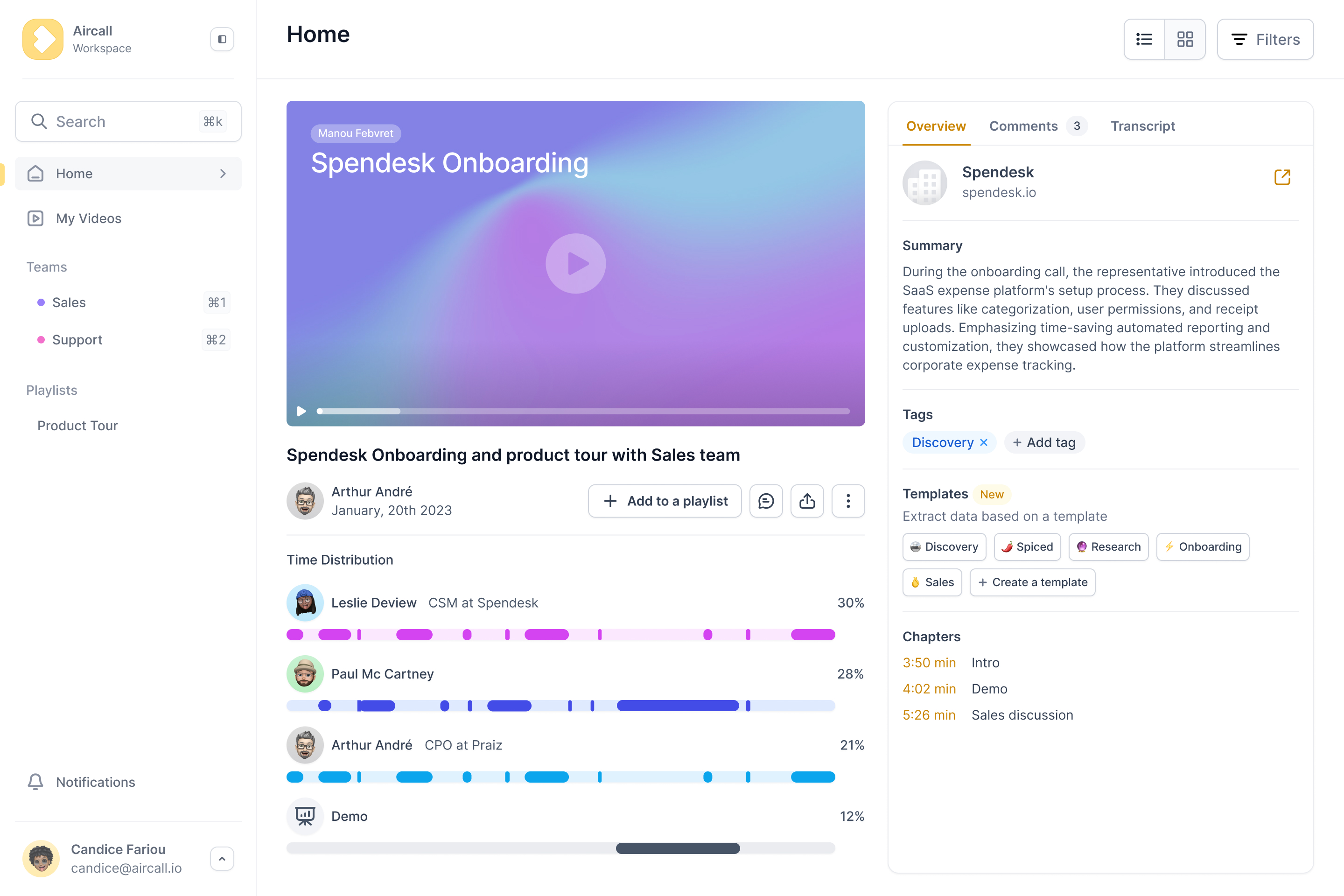
True automation does not just listen, it understands. You need an AI that analyzes the conversation and turns the mess into clarity. The ambition is to turn every call, every video conference, and every exchange into a source of value, for both field teams and leaders. In practice, that means structured summaries, detected next steps, and objections surfaced immediately, capturing key information to turn raw conversation into usable business data.
Introducing Praiz: your AI agent for Zoom meetings
This is where Zoom notes automation gets interesting. Praiz is not a simple transcriber; it is an AI agent built to transform your Zoom conversations into actionable data that feeds your CRM. It captures high-quality recording and transcription, then goes further by bridging the gap between talk and data. The goal is simple: let your team focus on the conversation, not the documentation.
How Praiz automates your entire Zoom meeting workflow
Proactive and silent capture: the bot-free experience
We have all been on a call where several recording bots announce their arrival. It can feel intrusive and make clients defensive. Praiz takes a different route: it syncs with your calendar and captures the audio stream without a visible participant on screen, so there is no bot sitting in the grid. The experience stays fluid and non-intrusive, preserving the natural dynamic of the exchange. It handles capture quietly in the background, with no need to click record or manage permissions.
From conversation to key insights, in real time
Once the call starts, the engine kicks in, and the point is actionable data, not just a script.
- Real-time transcription of the entire call.
- AI-powered summary generation based on customizable prompts.
- Automatic extraction of action items and key decisions.
- Identification of customer pain points and objections.
This is where custom prompts make the difference. You can configure Praiz to look for specific data, such as MEDDIC criteria, budget figures, or competitor mentions, tailored to your vertical. It is not generic, it is built for your business.
The final step: automatic CRM updates
Here is the real payoff: those insights do not just sit in a dashboard. They are pushed to where they matter most, your CRM. Instead of spending evenings on data entry, Praiz fills the fields, updates contact details, and creates follow-up tasks without you touching a keyboard. That is Zoom notes automation done well.
| Task | Manual process | Praiz process |
|---|---|---|
| Note-taking | Divided attention during call | Full focus on the call |
| Identifying action items | 15 to 20 min post-call | Done automatically |
| Updating the CRM | Prone to errors and omissions | Accurate and complete data |
| Sharing the summary with the team | Manual copy-paste email | Automated sharing via Slack or email |
The tangible business impact: a better CRM ROI
An automated workflow is useful, but what is the real business impact? Let's talk about concrete results.
Turning your CRM into a source of truth
You know the saying: garbage in, garbage out. That is exactly what limits most CRMs today. Without reliable input, even expensive software ends up as a passive store of stale data. Praiz addresses this at the source: by capturing the voice of the customer and structuring it, it helps your CRM run on reliable, complete, and objective data. The CRM stops being passive storage and becomes the steering tool you actually paid for.
Building reliable forecasts from real conversations
Ask any sales leader about their biggest headache and many will say forecast accuracy. Too often those numbers rely on rep optimism rather than facts. With Praiz, you can base forecasts on what was actually said in customer conversations rather than on what reps remembered to type. Managers get clearer visibility into ground reality, so they can analyze conversations, spot real risks, and challenge forecasts with concrete data instead of hunches.
More selling, less admin: a new reality for your sales team
Time is the scarcest resource for a salesperson, and every minute spent on admin is a minute not selling. By removing manual note-taking and CRM updates, Praiz frees up hours every week, and that time goes back into high-value activities like prospecting and closing.
- For sales reps: more time to sell, less burnout.
- For sales managers: better coaching based on real data.
- For CROs: reliable pipeline visibility and more predictable revenue.
Why Praiz is more than just another tool in your stack
The market is crowded with tools making big promises, but Praiz was built on a different philosophy: not to add a layer of complexity, but to remove one.
An AI layer that enriches your CRM, not another platform to manage
You may not need another standalone platform where your reps have to log in every day, since that tends to create friction and resistance. Think of Praiz as an AI layer that works quietly in the background to enrich the tool you already use, such as Salesforce or HubSpot, with rich data. There is no new interface to master and no separate data silo. The goal is to maximize the ROI of your existing investment rather than to force a replacement.
Broad integration: built for your existing ecosystem
Many tools struggle once you step outside a standard stack. Praiz is designed to adapt to your environment and connects with major CRMs and ERPs, not only the big names. This flexibility extends to your calls: we handle your Zoom notes automation through a Zoom integration while also covering the VoIP providers you rely on. You can explore our full range of integrations to see how Praiz fits your workflow.
Expertise and support that scales with you
Praiz was founded by a team with experience from Aircall, so we understand sales challenges because we have worked through them ourselves. Rather than generic self-service software, we provide hands-on support from day one: onboarding, help building custom prompts, and ongoing optimization of your integrations. We see this as a partnership rather than a transaction.
Manual note-taking is a quiet productivity drain. By automating this workflow with Praiz, you turn every Zoom conversation into accurate CRM data and actionable insights, so you can rely on a single source of truth and let your team spend more time selling.
Frequently Asked Questions
Can Zoom take notes automatically?
While Zoom offers basic native transcription features, they often produce unstructured blocks of text that still require manual sorting.
For a truly automated workflow that serves sales teams, a dedicated AI solution like Praiz helps: it goes beyond transcription by generating structured summaries, extracting action items, and populating CRM fields automatically, without manual input.
How do you use AI in Zoom to take notes?
To use AI effectively in Zoom, you need a tool that integrates with your calendar and conferencing software.
With Praiz, the process is hands-off: the AI detects scheduled Zoom meetings and captures audio in the background, then processes the conversation to deliver structured notes and actionable insights right after the call, keeping your attention on the client.
What is an AI scribe for Zoom?
An AI scribe for Zoom acts as a virtual assistant dedicated to documenting meetings. Solutions like Praiz work more like an AI layer for your CRM than a simple scribe.
Using custom templates and prompts, Praiz turns raw conversation data into structured assets, surfacing objections, next steps, and qualification signals such as BANT or SPICED to keep pipeline data accurate.
Can ChatGPT summarize a Zoom meeting?
ChatGPT can summarize a meeting, but it requires a manual workflow: record the call, generate a transcript, then copy and paste it into the chat, which can create security and privacy risks.
Praiz provides a secure, GDPR-compliant workflow where summaries are generated automatically and pushed directly to your CRM, reducing manual handling and helping protect customer data.
How do you take notes during a meeting automatically?
The most efficient way to take notes automatically is to stop doing it yourself. By connecting Praiz to Zoom, the AI handles the documentation process.
It captures the voice of the customer and converts it into structured data, so reps can focus on active listening while everything is recorded, analyzed, and synced to the right deal in the CRM.
Is there a free notetaker for Zoom?
Yes, free tools exist, but they typically come with limits on recording duration or storage and weak or missing CRM integration.
For sales leaders, free often costs more in lost productivity and disconnected data. A professional solution like Praiz offers enterprise-grade security, CRM autofill for Salesforce, HubSpot, and others, and reliable support, creating ROI by saving hours of admin per rep each week.
.png)