Sales meeting recording on Zoom, Google Meet and Microsoft Teams

Praiz joins every meeting from your calendar and transcribes it in seconds. Your reps focus on the conversation with the prospect, not on their notes.


Sales meeting recorder
Trusted by 500+ teams

Recording starts from your calendar

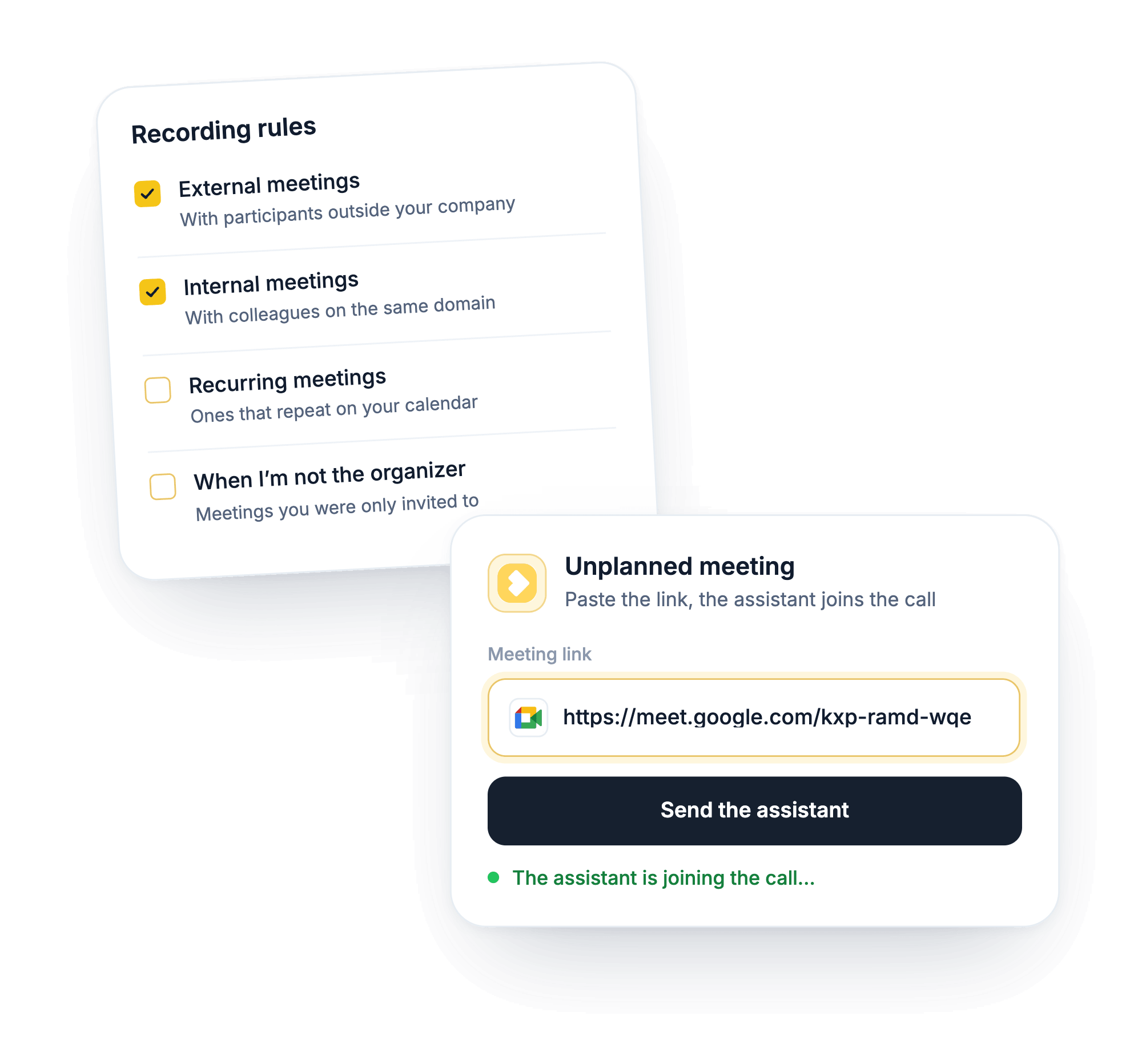
You connect your calendar once. The Praiz recording assistant then joins your meetings on time. Nobody needs to click Record.
Your
rules
You choose what gets recorded: external meetings, internal meetings, recurring meetings.
A meeting
to skip
You turn off recording for that meeting.
An unplanned
meeting
You paste the meeting link and the assistant joins.
Meeting recording automatically from your calendar

Find any moment without rewatching the meeting

Seconds after the meeting, the transcript is available with the video. You search for a word in the transcript and jump to the right moment.

A share link lets you send the recording to someone outside the team.

Search data from call recording

One recorded meeting, useful to the whole team

A manager comments on a specific moment of the meeting without having attended. A colleague taking over the account reads what was said instead of asking for a summary.

You decide who sees what: in private mode, each rep only sees their own meetings.
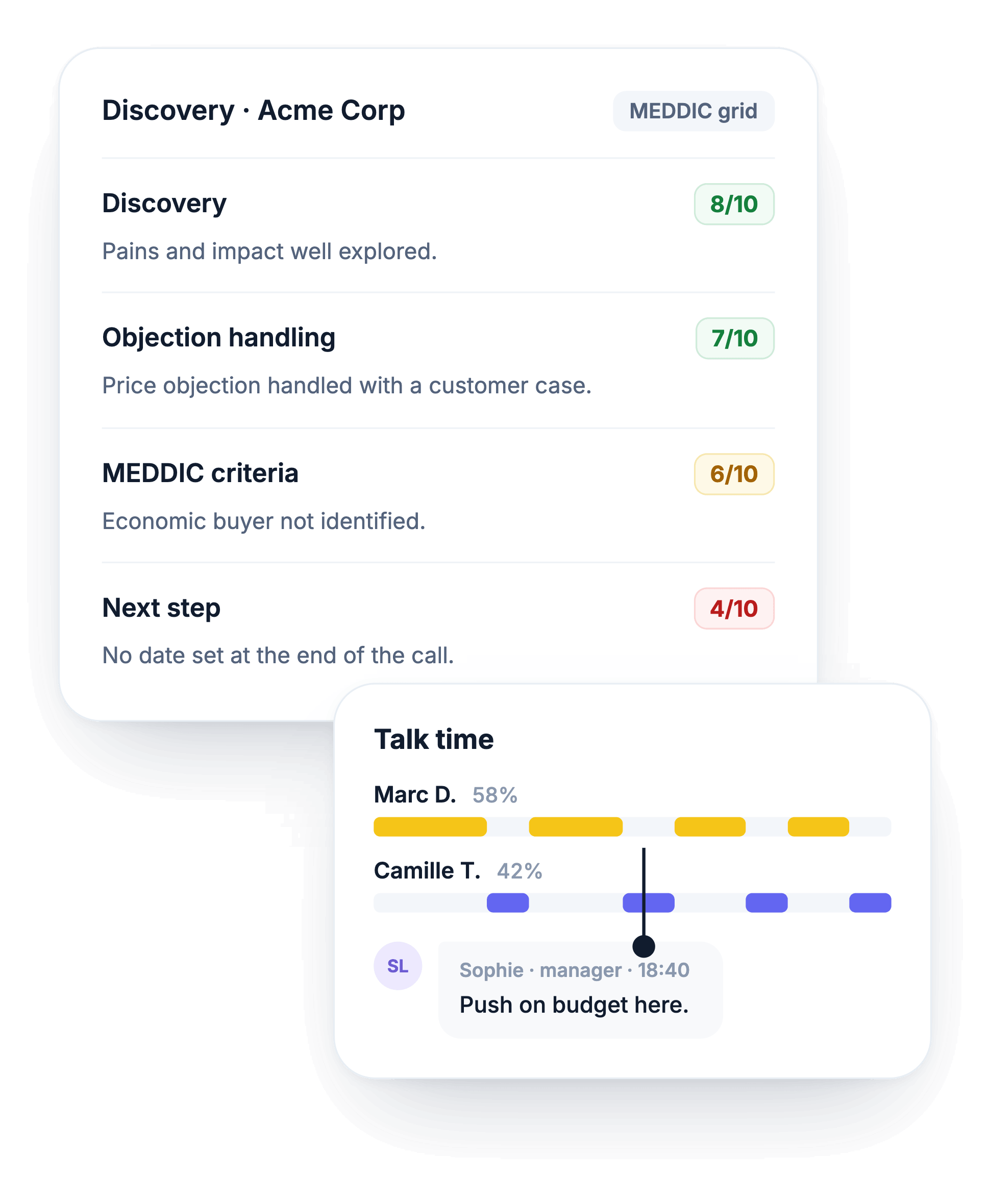
Call scoring for a consistent qualification

Everyone knows they are being recorded

The recording assistant asks to join the meeting under a name you choose. Participants see it and can decline.

Praiz also emails them 10 minutes before the meeting, with a link to opt out. If someone declines, the meeting is not recorded.
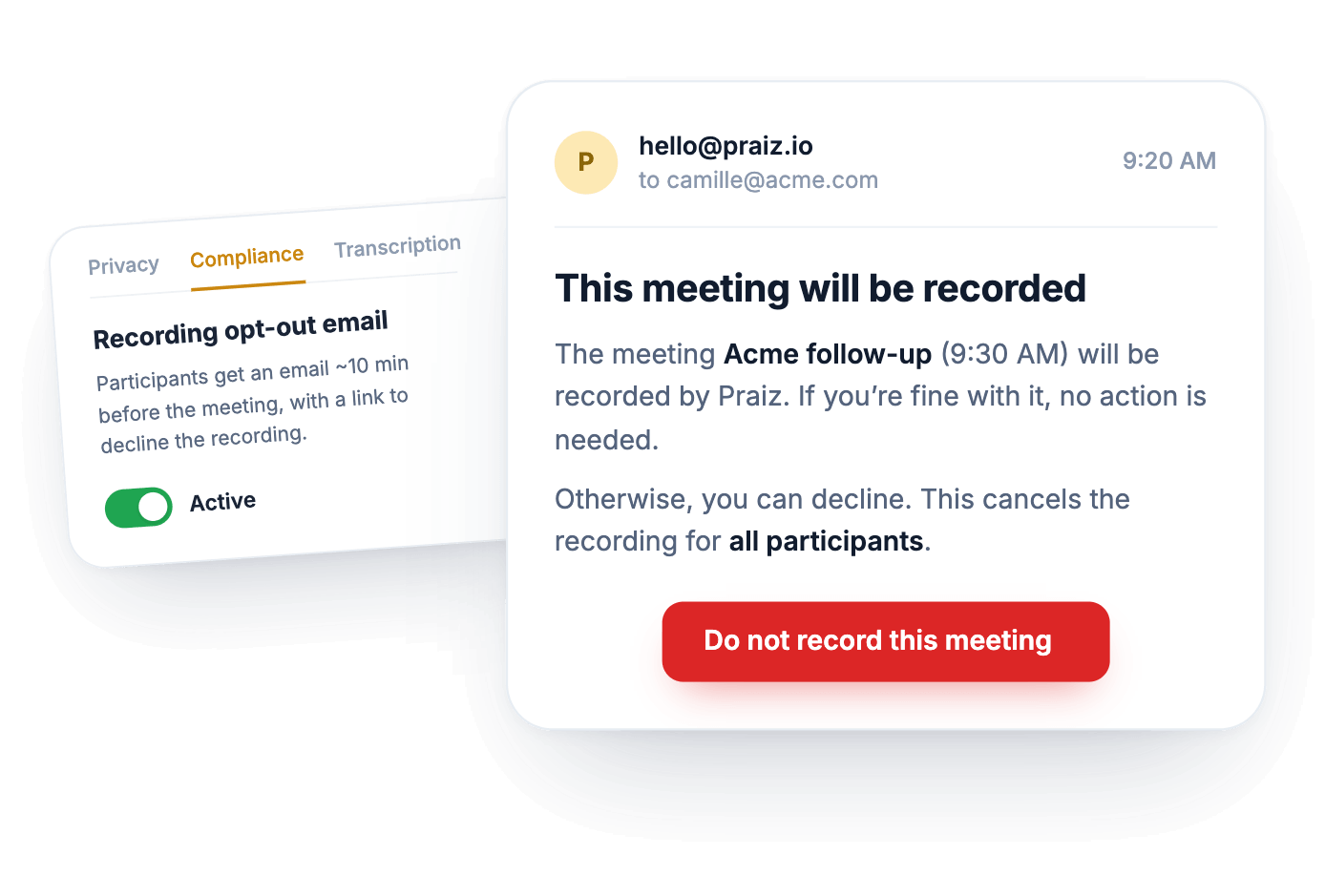
Consent handled through optout email

What happens after the meeting?

Nobody rewatches a full meeting. Praiz AI agents read the transcript: they fill in your CRM, score the conversation, and flag objections.

Explore AI agents for sales →
FAQ

Frequently asked questions

Does Praiz record meetings without a bot?
+
On video calls, a visible recording assistant joins the meeting. That is how the people you meet know they are being recorded, and can decline. On the phone and in person, there is no bot.
Does the recording assistant bother the prospect?
+
The assistant joins the meeting as a regular participant, under the name you chose, and stays silent. Your prospect knows they are being recorded and can decline: everything is transparent. Meanwhile, your rep stays focused on the conversation.
Do I need to install software?
+
No. You connect your calendar to Praiz. The assistant then joins your Google Meet, Microsoft Teams, and Zoom meetings. There is nothing to install.
Can I exclude internal meetings?
+
Yes. You choose which types of meetings to record, and you can turn off recording for a specific meeting.
Who can see a recording?
+
You decide. Either the whole team sees recordings, or you turn on private mode and each rep only sees their own meetings. You can also let each person make one of their recordings private.

Further reading

All articles →

Try Praiz on your own calls and meetings.

The trial is free, and you start it yourself, with no meeting needed.