A CRM integration that feeds your tools without changing your processes

Your teams keep their CRM, their fields, and their habits. Praiz connects to it with a native connector for HubSpot, Salesforce, Pipedrive, and 7 more CRMs. For other tools, a webhook takes over.


Intégration CRM : champs envoyés dans HubSpot après un échange
Trusted by 500+ teams

A native CRM connector, set up with no developer

You connect your CRM yourself, from the Praiz integrations, with your personal account. It takes a few clicks: no code required. Then the Praiz team sets up with you the information to send to your CRM.
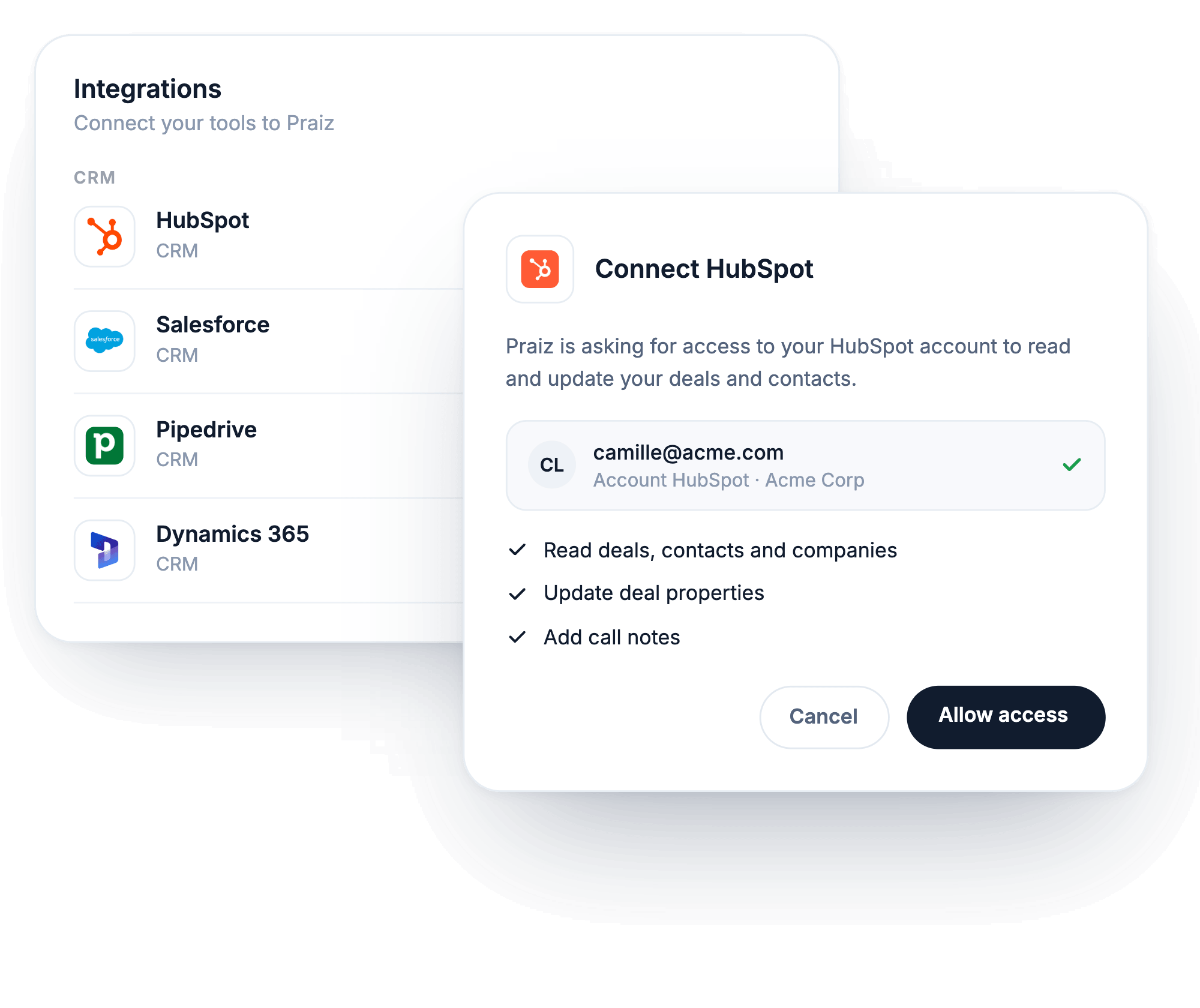
Connecting HubSpot from the Praiz integrations

Your reps keep the way they work

Your reps keep working in their CRM, as before. They have nothing to type or send after a meeting. The information from their calls and meetings reaches the CRM after the conversation, with no action on their part. You choose which conversations are included: a team, a minimum duration, calls or video meetings, or a word in the meeting title.

What the agents write to your CRM →
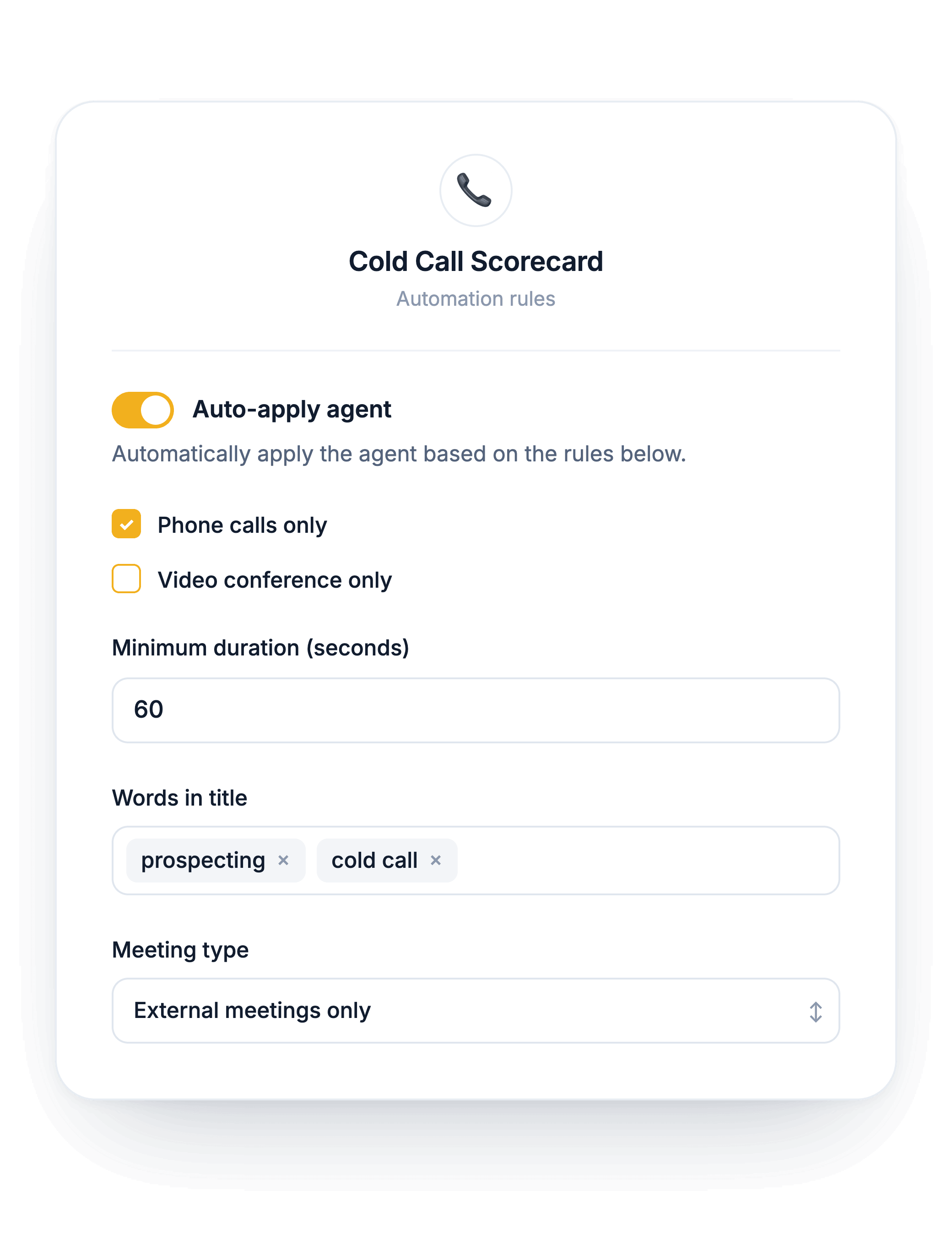
Call scoring for each type of conversation

Your other tools get fed too

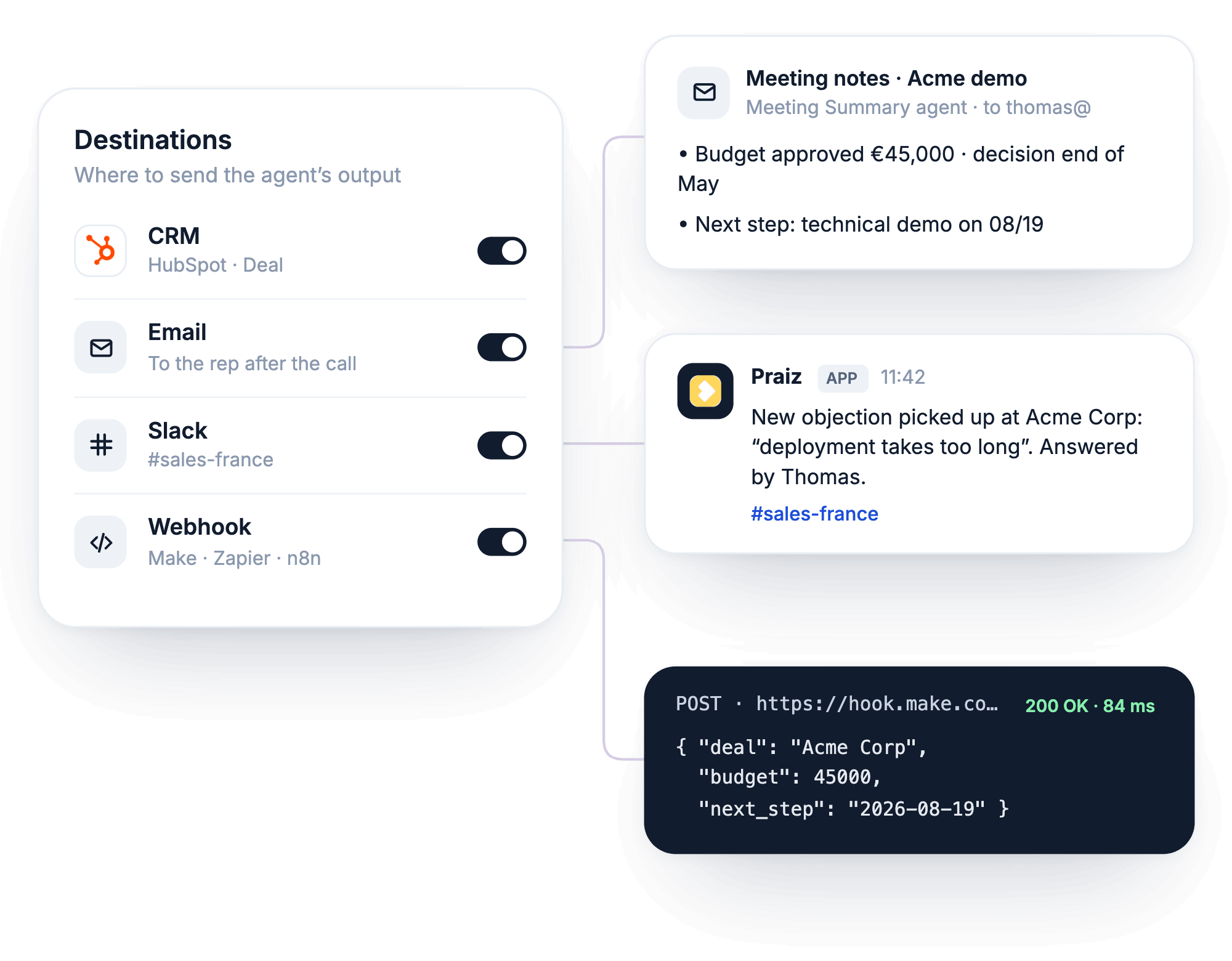
Your teams don't only work in the CRM. After your calls and meetings, agent results also go to the tools they already use, without changing their habits.
✓
Slack: an agent's result lands in Slack, for example a meeting summary shared with the team.
✓
Email: the rep gets the result by email, plus recurring reports (objections, coaching scores) as often as you choose.
✓
Webhook: results go to Make, Zapier, n8n, or your in-house tools. For example to fill in a spreadsheet or create a task in your project tool.
Agent result sent to the CRM, by email, to Slack and by webhook

10 natively connected CRMs

Praiz connects natively to HubSpot, Salesforce, Pipedrive, Zoho CRM, Microsoft Dynamics, Odoo, Planhat, Attio, Close, and Freshworks CRM. It feeds your deals, contacts, and companies, plus activities in Salesforce.


See all integrations →

Your conversations and your CRM, in the same AI

With the Praiz MCP server, Claude or ChatGPT can query your calls and meetings. If your AI is also connected to your CRM, it puts your deal amounts next to what your prospects said.

Explore the MCP server ›

Which deals over €20k mentioned a competitor this quarter?
Praiz · MCP server
Four deals, totaling €118k. Modjo came up in three of them, during the pricing discussion.
Onboarding

You're not left alone with the AI

01
Your playbook and goals as the starting point
02
Agents configured and checked with you
03
New agents when your priorities change
FAQ

Frequently asked questions

How long does setup take?
+
Connecting your CRM is quick: you do it yourself, from the Praiz integrations. The Praiz team then sets up with you the agents and the information to send to your CRM. The time it takes depends on how many agents and fields you set up.
My CRM isn't on the list. What can I do?
+
A webhook sends your agents' results to the tool of your choice: Make, Zapier, n8n, or your in-house tools. Custom objects in your CRM also go through this webhook.
Who can send data to the CRM?
+
Public agents, created by an admin. A user can also have a private agent for their own meeting summary, but that agent doesn't write to the CRM.
Does Praiz pull calls made from HubSpot?
+
Yes. With HubSpot calling, Praiz retrieves your HubSpot call recordings directly. They are transcribed and analyzed like your other conversations.
Is my conversation data protected?
+
Yes. Praiz is ISO 27001 certified and your data is hosted in France. It is never used to train AI models.

Further reading

All articles →

Try Praiz on your own calls and meetings.

The trial is free, and you start it yourself, with no meeting needed.