B2B prospecting tools are the software a sales team uses to turn a target market into booked meetings. Most lists of them stop at sending messages. This one covers six tools, grouped by the job they do, with what each one is best for and what to know before you buy. It also covers the step most stacks skip: using what buyers say on calls to make the next campaign better.
When your team writes a new sequence, does the copy come from what buyers said on last month's calls, or from what someone remembers they said?
The bottom line: most prospecting stacks are built to send more messages. Teams that book more meetings also send better ones, and the best source for better messages is what buyers say on calls: their pains, their objections and the exact words they use. A stack that feeds call data back into outbound gets sharper with every campaign.
What a B2B prospecting stack has to cover
Prospecting used to run on one database and one phone line. Today the work is split into separate jobs, and most tools specialise in one or two of them. The reason is time. In Salesforce's State of Sales report, reps say they spend 70% of their time on tasks that are not selling. Each layer of a prospecting stack takes some of that work off their plate.
A complete stack covers five jobs, in this order:
- Find: build lists of accounts and people that match your ideal customer profile.
- Enrich: get verified emails and mobile numbers for those people.
- Reach: run sequences across email, LinkedIn and phone.
- Call: dial efficiently and record the conversations.
- Learn: capture what buyers say and feed it back into targeting and messaging.
Most teams have tools for the first four jobs. The fifth is the one that makes the other four improve over time, and it is the one most stacks leave out.
B2B prospecting tools at a glance
| Tool | Job | Best for | Key detail |
|---|---|---|---|
| Topo | Find, enrich, reach | One platform with AI agents for outbound | Signals, lead search, sequences, MCP connectors |
| LinkedIn Sales Navigator | Find | Account and lead research on LinkedIn | 50+ search filters, alerts on job changes |
| Apollo | Find, enrich, reach | Small teams that want one tool to start | Contact database, sequences and dialer |
| Clay | Enrich | Teams that build their own data workflows | 200+ data providers, AI research agent |
| lemlist | Reach | Multichannel sequences with deliverability built in | Email, LinkedIn, calls, WhatsApp, SMS |
| La Growth Machine | Reach | Outreach that starts on LinkedIn | LinkedIn, email, calls and voice messages |
The figures in this article are the ones each vendor publishes on its own website, as of October 2026.
One platform for the whole outbound process
The first choice is between one platform and a stack of specialised tools. One platform is simpler to run. Specialised tools give more control over each job. An all-in-one platform covers finding, enriching and reaching buyers in one place, with AI agents doing part of the work.
1. Topo
Best for: B2B teams that want one platform for outbound, with AI agents that work with their own context.
Topo is an AI sales platform for outbound. Its AI agents find and qualify the right accounts, with lead search across more than 15 data providers and buying signals, then run multichannel sequences across email, LinkedIn and calls. Topo keeps a memory of your knowledge and your ICP.
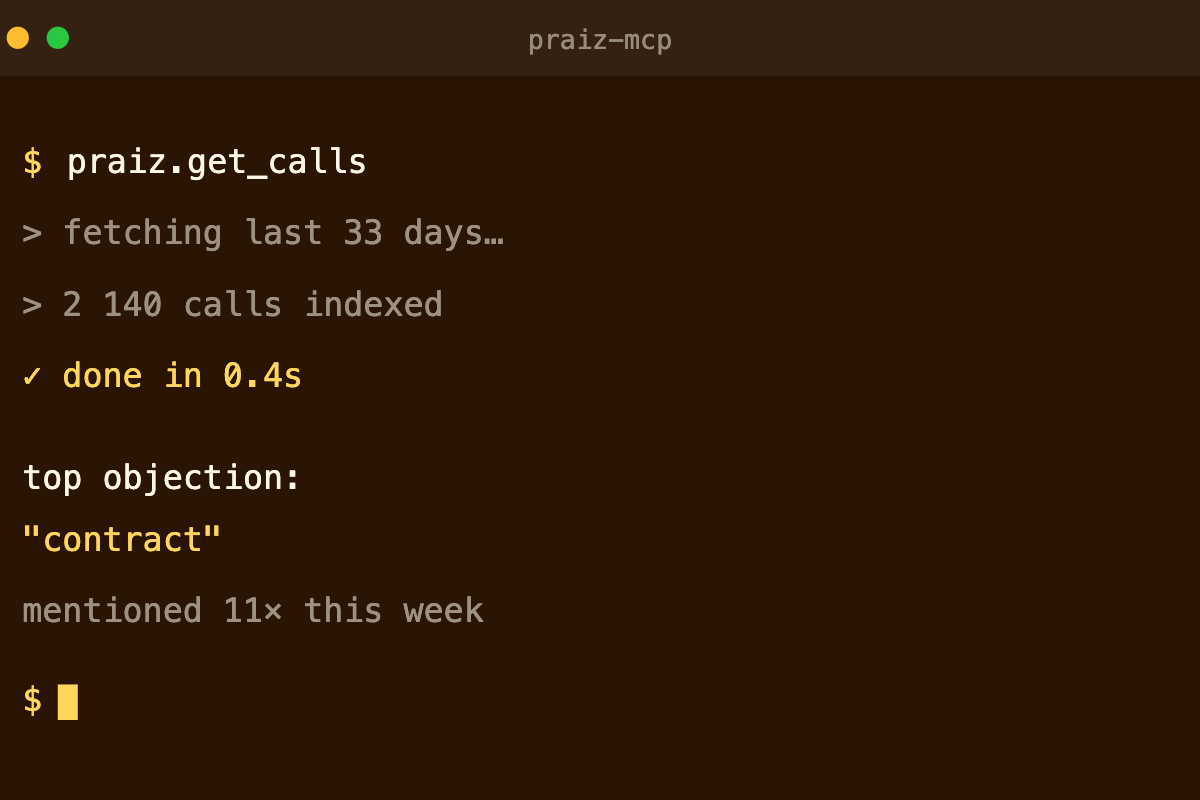
Topo is also fed by MCP connectors. Plug in a conversation intelligence platform like Praiz, and the insights from your calls, the objections raised and the words your buyers use, feed straight into the next campaigns.
Good to know: an all-in-one platform replaces several tools at once. List what you already pay for in each layer before you switch.
Finding accounts and leads
If you build your own stack, it starts with the list. A good list is narrow: the accounts that match your ideal customer profile, and the people in those accounts who own the problem you solve.
2. LinkedIn Sales Navigator
Best for: researching accounts and people on the network where B2B buyers keep their profile up to date.
Sales Navigator is LinkedIn's paid search layer. It offers more than 50 search filters across more than a billion members, saved lists of leads and accounts, and alerts when a saved lead changes job or role. AI features summarise accounts and buyers, and the higher plans add a CRM integration.
Good to know: Sales Navigator finds people, not contact details. You still need an enrichment tool to get emails and phone numbers.
3. Apollo
Best for: small teams that want search, enrichment and sequences in one place to get started.
Apollo combines a contact database, which it puts at more than 240 million contacts and 30 million companies, with waterfall enrichment, email sequences, a parallel dialer and an MCP server.
Good to know: an all-in-one database is only as good as its coverage in your markets. Test a sample of your own target accounts before you commit, especially outside the US.
Getting verified emails and phone numbers
A list without working contact details is a list of names. Enrichment tools fill the gap. The most reliable ones query several providers in sequence and stop at the first verified result, a method called waterfall enrichment.
4. Clay
Best for: RevOps or growth teams that want to design their own enrichment and research workflows.
Clay gives access to more than 200 data providers in one place and combines them in waterfalls. Its AI agent, Claygent, researches companies and people. The results can then trigger emails, ads and other actions in the rest of your stack.
Good to know: Clay is a tool for builders. It gives a lot of control, and it needs someone to own and maintain the workflows.
Reaching buyers across channels
Once the list is ready, sequences decide how and when buyers hear from you. The tools below run the same campaign across several channels, so a buyer who ignores email can still see you on LinkedIn or take your call.
5. lemlist
Best for: teams that want multichannel sequences and email deliverability in one tool.
lemlist runs campaigns across email, LinkedIn, calls, WhatsApp and SMS from one workflow. It includes a lead database, AI agents for intent signals and data enrichment, and lemwarm, its email warm-up tool, with every seat.
Good to know: more channels means more steps to write. A sequence with a weak message stays weak, whatever the number of channels.
6. La Growth Machine
Best for: outreach that starts on LinkedIn and continues by email and phone.
La Growth Machine builds sequences that mix LinkedIn invitations, messages and voice notes with emails and calls. It syncs both ways with HubSpot, and teams can build and run campaigns from Claude or ChatGPT.
Good to know: LinkedIn limits how many invitations an account can send. Plan your volumes per seat.
Making the calls
Phone is still part of most B2B sequences. A power dialer handles the dialing, and your phone system logs and records the call. Our comparison of the best power dialers covers six options, from the simplest to the most advanced.
Before you add dialing volume, check your data. Our guide to the cold call connect rate shows how much depends on the numbers you dial.
Why call data should feed your prospecting
Outbound teams judge a message by its reply rate. A reply rate tells you that a message worked. It does not tell you why. The answer is in the calls that follow: the problem that made the buyer accept the meeting, the objection that stopped the next step, the words they used to describe their situation.
That information improves prospecting in four places:
- Messages by segment. The pains that come up most on calls with one segment become the opening lines of that segment's next sequence.
- Buyer vocabulary. Buyers describe their problem in their own words, not in your product's words. Sequences written in their words get read.
- Objections. If the same objection comes up on most first calls, answer it in the sequence, before the call. Our guide to objection handling covers how to find the ones buyers never say out loud.
- Targeting. The segments where first calls turn into next steps are the ones that deserve more volume.
The catch is that this information sits in recordings and transcripts nobody reads again. To feed prospecting, it has to be structured: the same information extracted from every call, then made available to the tools that build the next campaign.
Where Praiz fits in
Praiz is our own product, so it isn't ranked in the list above. It covers the fifth job, learning from calls. Praiz records calls and meetings from Aircall, Ringover, Minari, Google Meet, Microsoft Teams and Zoom. AI agents then run on every conversation and extract the same information each time: pains, objections, competitors mentioned, and any field your team defines. Because the fields are the same on every call, the data can be compared. You can filter it by period, by rep or by any extracted field in the call analysis view, and send it to your CRM.
The Praiz MCP server makes that data available in any MCP-compatible AI tool, and in outbound platforms such as Topo. The next sequence can then start from what buyers actually said. Praiz customer teams capture 15 times more structured customer feedback, and the Praiz team configures the agents with you during onboarding.
Praiz does not find leads or send sequences. It works alongside the tools above and gives them better information.
How to choose B2B prospecting tools
There is no best stack in general, only a best stack for the problem your team has today. Five checks help you choose:
- Start from your bottleneck. Wrong people on the list: fix finding. Calls that don't connect: fix enrichment. Low replies: fix the message, and use call data to do it.
- Test data on your own market. Run a sample of your target accounts through two or three providers before you sign. Coverage changes a lot from one country to another.
- Count the overlaps. Several tools in this list cover more than one job. In the same Salesforce report, 53% of sales teams that had fully implemented AI first consolidated their tech stack.
- Check the CRM connection. Every tool should write its activity back to your CRM, or your reporting ends up split across tools.
- Check what the vendor does after you sign. Ask about onboarding, help with configuration, and how fast support answers. A tool nobody sets up properly stays unused.
See it in action
Let your calls write the next sequence
Praiz extracts pains, objections and buyer vocabulary from every call, and makes them available to your AI tools through MCP.
Frequently asked questions
What are B2B prospecting tools?
Software that helps a sales team find target accounts, get verified contact details, reach buyers across channels and make calls.
Most stacks combine a lead database, an enrichment tool, a sequencing tool and a dialer. The best ones also feed what buyers say on calls back into targeting and messaging.
Should I use several prospecting tools or one platform?
It depends on your team size and on where outbound breaks today. A small team often starts faster with one platform. A larger team, or one with a RevOps owner, usually gets more control from specialised tools.
In both cases, every tool should write back to the same CRM, so your reporting stays in one place.
How do sales calls improve prospecting?
Calls show why buyers respond: the pains that made them take the meeting, their objections and the words they use. Extracted the same way on every call, that information tells you which message to write for which segment.
A conversation intelligence platform structures it, and an MCP connection lets your outbound tools use it directly.
What is waterfall enrichment?
A method where an enrichment tool queries several data providers in sequence and stops at the first verified result. It raises the chance of getting a working email or mobile number. Clay, for example, combines more than 200 data providers in waterfalls.